
Why AI Hasn't Cut Costs at Most UK Firms Yet
The government's AI adoption survey found UK business use of AI doubled in a year, yet most firms using it saw no change in operating costs. The gap usually sits in the admin around the work.
Cloudfinch Team
Nov 10, 2026
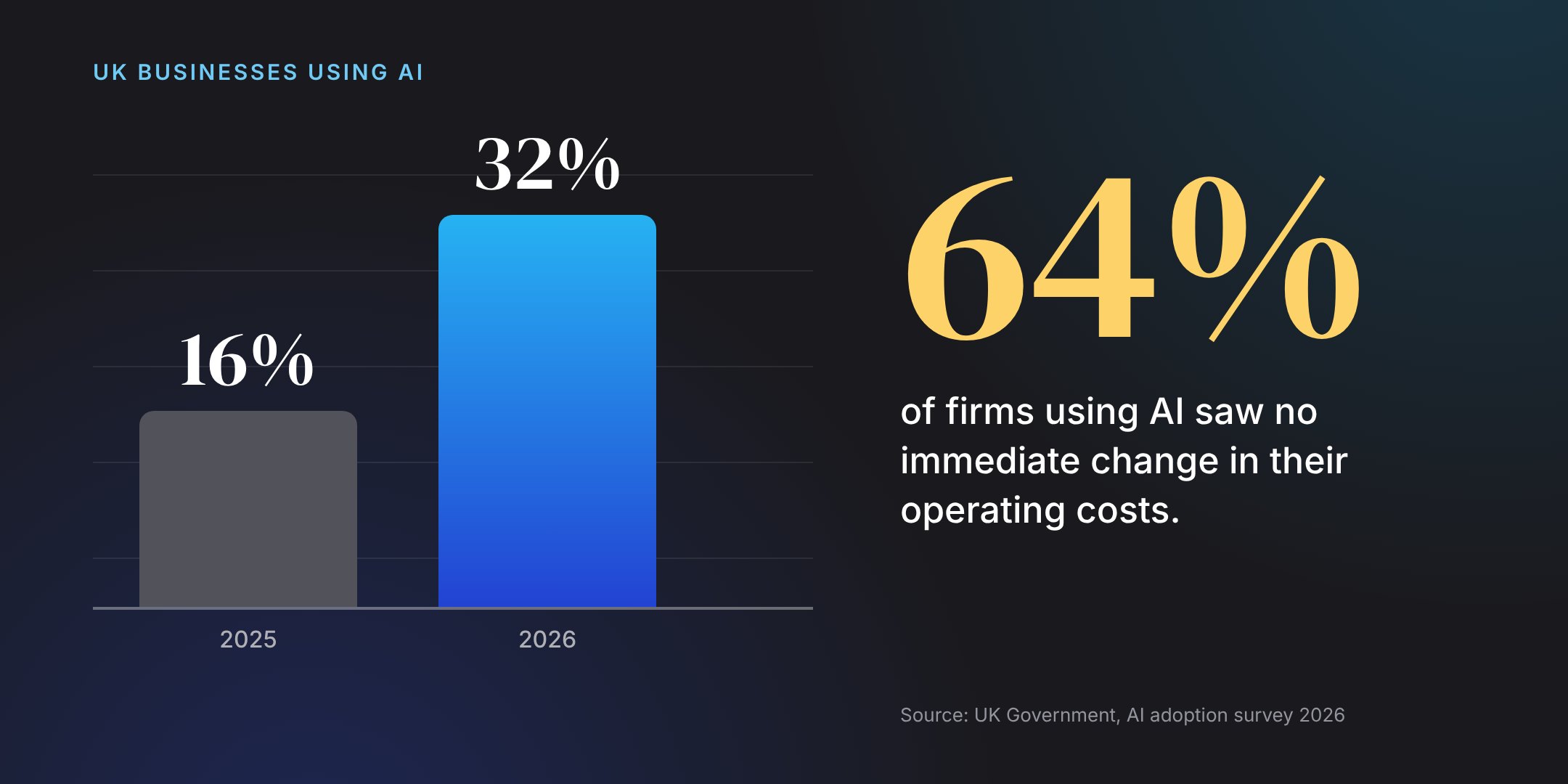
The government's AI adoption survey 2026, published on October 29, has a headline most firms will recognize. A third of UK businesses now use at least one AI technology: 32%, up from 16% a year earlier.
The rest of the picture is in the executive summary. Half of the businesses using AI said productivity had gone up. On operating costs, 24% reported a fall, 9% reported a rise, and 64% had seen no immediate financial effect. The report describes AI as "functioning primarily as a support tool, augmenting existing activities."
For a small accounting practice or law firm, that description will sound familiar.
Where the saved minutes go
Support-tool use at a small firm usually looks like this. Someone drafts an email faster, summarizes a long document, or tidies up a letter. Each of those saves a few minutes.
The jobs around them stay the same size. Someone still chases the client for the missing bank statement, copies figures from one system into another, checks the engagement letter came back signed, and writes the update telling the client where things stand.
Minutes saved inside a task rarely show up on the cost line, because the same person still does the job from start to finish. The hours that cost money are spread across the steps in between, and a chat window doesn't do those steps.
What moves the numbers
Costs move when a whole job runs differently. Take the work around a client file and look at it as one process: what comes in, what gets checked, what gets chased, what gets recorded, and who gets told. Then build the system that does the routine steps and hands the rest to a person.
Take a hypothetical accounting practice preparing quarterly updates under Making Tax Digital for its sole-trader clients. When the quarter closes, an agent sends each client a request for their records, reads what comes back, and checks it against the categories that client normally uses. Anything missing gets chased on a schedule. Transactions that don't fit the usual pattern go to a bookkeeper with the reason attached. The partner sees one list showing which clients are ready, which are waiting, and which need a person, and the team's time goes on the queries.
The AI in that example does ordinary work: reading documents and spotting entries that look unusual. The savings come from the system knowing the practice's rules and running the same way every quarter, with a person reviewing anything it isn't sure about.
How to tell if your firm is in the 64%
Pick one recurring job, such as a quarterly update, onboarding a new client, or a property completion, and write down:
- The steps from the first request to the finished file.
- Which of those steps AI helps with today.
- Which steps still need someone to chase, copy or check by hand.
If most of the hours sit in the third list, the tools you have are helping inside tasks and the job itself hasn't changed. That third list is the place to start.
Not sure which job to start with? Book a 30-minute call and we'll go through one recurring job with you: where the hours go, which steps an agent could run with your team reviewing, and whether it's the right thing to build first. If it is, you'll get a fixed-fee proposal within a week.