
Is It Safe to Put Client Data Into ChatGPT? A Plain Guide for Small Firms
What ChatGPT and Copilot do with what you paste in, the settings to check today, what to keep out, a one-page rule for your team, and where the do-it-yourself setup stops being enough.
Cloudfinch Team
Nov 24, 2026
Someone on your team has probably pasted a client's email, a spreadsheet or a contract into ChatGPT this month. Whether that was safe depends mostly on which account they used and how it was set up.
What happens to what you paste
When you paste something into an AI chat tool, it goes to the provider's servers to be processed. Two questions matter most: can the provider use it to train its models, and how long is it kept?
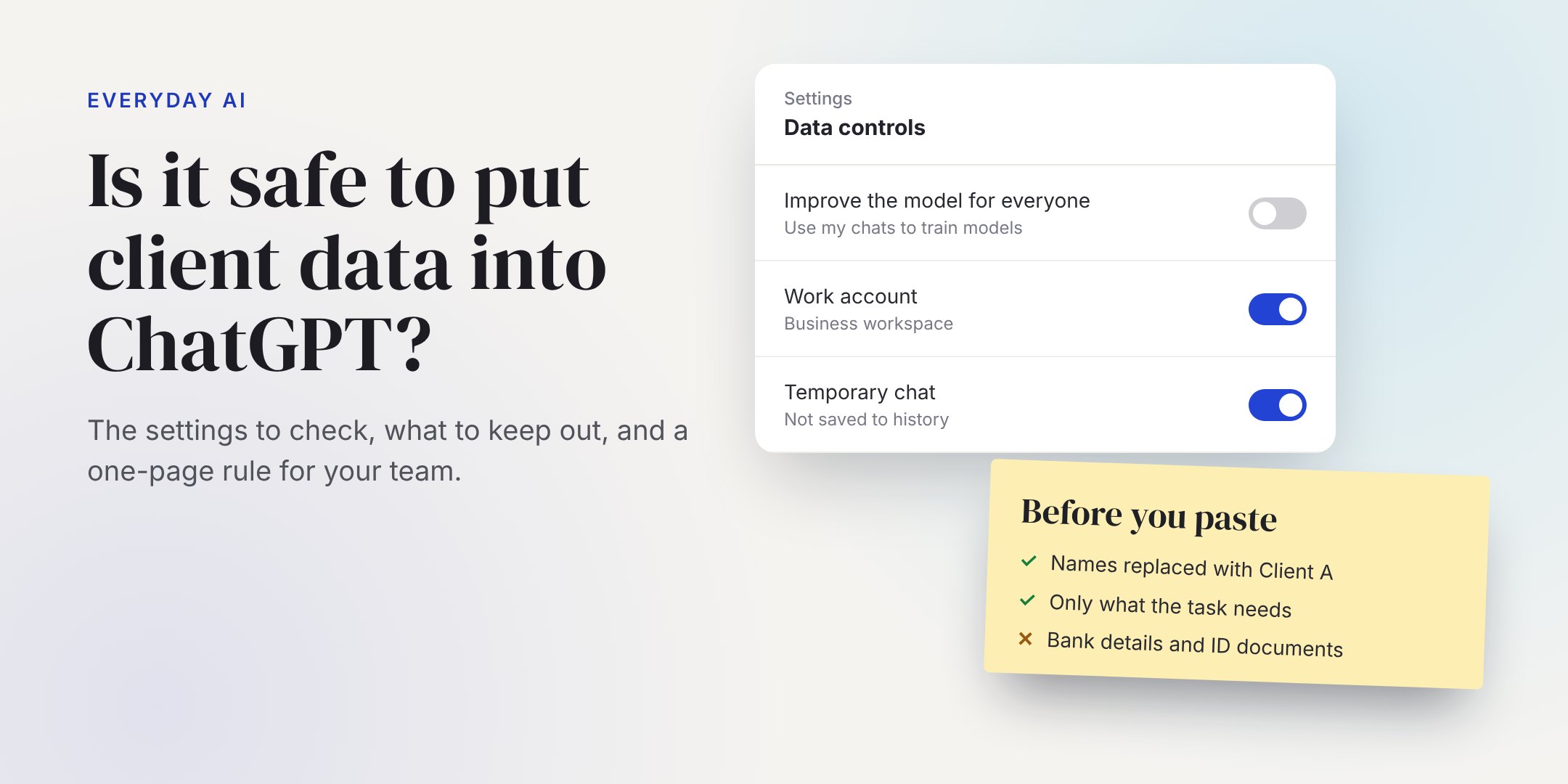
- Personal ChatGPT accounts (Free, Plus and Pro). OpenAI's data controls page says data sharing for model training is on by default on these plans. You can turn it off under Settings, then Data controls, then "Improve the model for everyone". The same page says that if you rate a reply with a thumbs up or down, the whole conversation may still be used for training.
- Temporary chats. OpenAI says these aren't used to improve its models and don't appear in your history, though they may be kept for up to 30 days for safety purposes.
- ChatGPT business plans. By default, OpenAI doesn't use content from ChatGPT Business, Enterprise or Edu workspaces to train its models, according to the same page. The workspace owner also controls retention and access.
- Microsoft Copilot with a work account. When staff sign in with their work Microsoft 365 account, Microsoft's enterprise data protection applies, and Microsoft says your data isn't used to train foundation models.
Training is one part of the picture. Your clients shared their information for a reason, and UK GDPR still applies once it's in a chat window. The ICO's guidance on security and data minimization in AI puts the principle simply: only process the personal data you need for your purpose.
The do-it-yourself version
You can make this a lot safer this week, with no new software:
- Pick one account type for work. A ChatGPT business plan, or Copilot through your Microsoft 365 work login. The company then sets the rules once, and nobody has to remember a personal setting.
- Fix personal accounts today. If anyone uses a personal ChatGPT account for work, have them turn off "Improve the model for everyone" and skip the thumbs-up buttons on client work.
- Strip what the task doesn't need. Replace names with "Client A", and leave out account numbers, dates of birth, National Insurance numbers and bank details. Redrafting a letter rarely needs to know who it's for.
- Write a one-page rule. Which tool, which account, what never goes in (ID documents, bank details, health information, anything under a confidentiality agreement) and who to ask when unsure.
- Check your paperwork. Make sure your engagement letters and privacy notice cover using outside software to process client information. If you're unsure, ask your professional body or adviser.
A prompt that works well with step 3:
"I'll paste a client letter with names replaced by Client A and Firm B. Redraft it in plain English, keep the placeholders exactly as they are, and flag anything that looks like it needs a real figure."
Where it stops working
These habits hold up while AI is used for writing and summarizing. They start to strain when:
- Everyone has their own account. Settings live on each person's login, and nobody can see who has training switched off.
- There's no record. If a client asks what was shared and with which tool, nobody can answer.
- Removing details by hand gets skipped. On a busy day, someone pastes the full spreadsheet.
- The useful work needs the real data. Checking a client's bookkeeping or chasing missing records only works with real names and numbers, so the stripped-down version can't do it.
At that point the bigger question is how AI gets the client data it needs, and who can see what it did.
What it looks like as a system
Take a hypothetical accounting practice heading into the 31 January self assessment deadline. Staff already use AI to summarize client emails, draft requests for missing documents and sense-check bookkeeping exports, each in their own chat window.
Run as a system, the AI works inside the practice's own setup, on a business account with training off. It's connected to the practice management software and respects each person's access, so a junior sees only their own clients. Each task gets only the fields it needs. Every request is logged with the client, what was sent and who approved the result, and anything going to a client is reviewed by a person first. The partners set the rules once, and the whole team works to them.
Want a second opinion on how your team uses AI with client data? Book a 30-minute call and we'll look at which tools your team uses, what goes into them, and what a safer setup would look like. If a system is worth building, you'll get a fixed-fee proposal within a week.