
How to Use AI to Answer Customer Emails (and Where It Stops Working)
A practical way to answer customer emails with ChatGPT or Copilot today, the prompt to use, what to check before you send, and the point where copy and paste stops keeping up.
Cloudfinch Team
Nov 20, 2026
Most small businesses answer the same dozen questions by email every week. Is it still available? What does it cost? Can I come on Saturday? Where's my order? Each reply takes a few minutes, and those minutes add up to hours.
AI chat tools such as ChatGPT, Microsoft Copilot and Google Gemini are good at this kind of writing. Used well, they can take a lot of that time off your hands this week, with no setup.
The do-it-yourself version
Open a chat and give it three things before you paste any email:
- How you sound. Paste two or three replies you've sent that you were happy with, and say "write in this tone."
- The facts it needs. Opening hours, prices, policies, the answer to the question you get most. AI fills gaps with guesses, so give it the real details.
- What it must not do. For example: "Don't promise a date. Don't offer a discount. If you don't know something, write [CHECK] instead of guessing."
Then paste the customer's email and ask for a reply. A prompt that works well:
"Here is an email from a customer. Draft a reply in my tone using only the facts above. Keep it under 120 words. Put [CHECK] next to anything you're unsure about."
Read every draft before it goes out. Look for three things: facts it made up, promises you can't keep, and anything that sounds warmer or colder than you would. If your plan has a setting to keep chats out of model training, turn it on, and leave out anything you wouldn't put in a normal email, such as bank details or ID documents.
Keep your best prompt saved somewhere you can copy it from. Most of the time saved comes from not rewriting the setup each time.
Where it stops working
This works well for one person answering a handful of emails a day. It starts to creak when:
- The answers depend on live information. Whether a slot is free, whether an item is in stock, where an order is. The chat window can't see your systems, so someone looks it up and pastes it in.
- Several people reply to the same inbox. Each person has their own prompts, their own tone and their own idea of what's allowed.
- Nobody can see what was promised. Replies go out from different chats, and there's no record of what the AI suggested or who checked it.
- The volume grows. At forty enquiries a day, copying each email into a chat and each answer back out becomes a job of its own.
At that point the tool is helping inside each email, and the work around the emails is still done by hand.
What it looks like as a system
Take a hypothetical estate agency with three negotiators sharing one enquiries inbox. Most emails ask whether a property is still available, request a viewing, or ask for details already in the listing.
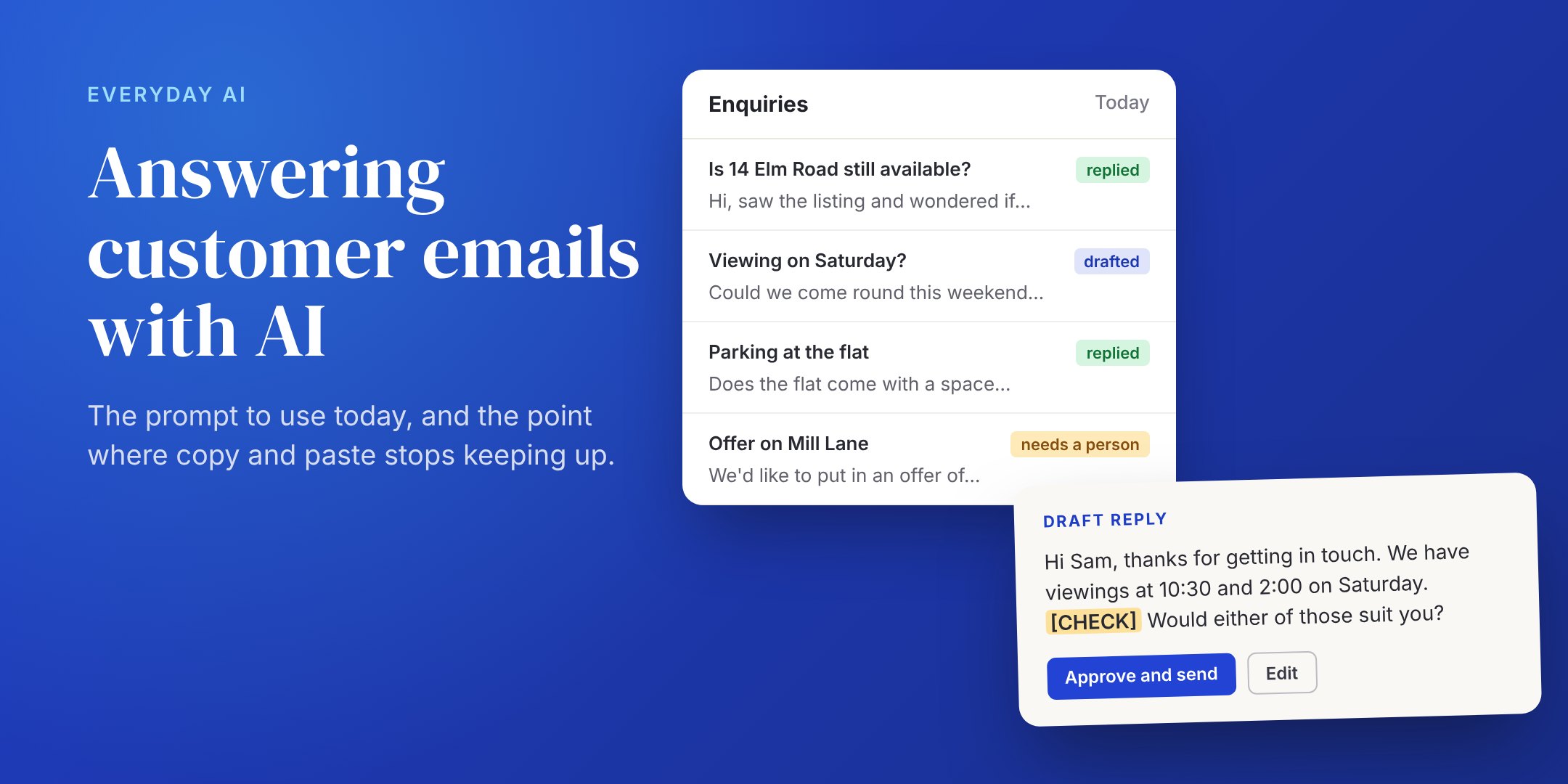
Run as a system, each new email is read as it arrives. The system checks the property's status in the agency's own software, offers viewing slots from the negotiators' real calendars, and drafts the reply in the agency's tone. Simple replies go out after a quick check. Anything unusual, such as an offer, a complaint or a question about the chain, goes to a negotiator with the history attached. The manager sees one list: replied, waiting on the customer, and needs a person.
In both versions the AI does the same writing. The system can also see the agency's data, follows the agency's rules every time, and keeps a record of every reply.
Want to see what this would look like for your inbox? Book a 30-minute call and we'll go through the emails you answer most: which ones AI can draft today, which need your data behind them, and whether a system is worth building yet. If it is, you'll get a fixed-fee proposal within a week.