
How SMBs Can Deploy AI Without a Tech Team
You don't need a CTO or a data science team to use AI well. A practical roadmap for small and mid-sized businesses to deploy AI with minimal technical overhead.
Cloudfinch Team
Feb 10, 2026
Small and mid-sized businesses are adopting AI quickly, and most of them are doing it without dedicated tech teams. The barrier to entry has dropped far enough that the main obstacle now is knowing where to start.
This guide answers the questions SMBs ask most often about deploying AI without in-house technical expertise, and lays out a practical roadmap.
Why do SMBs think they need a tech team for AI?
Most SMBs assume AI requires a data science team, a CTO, or at least a few dedicated developers, because that's how AI adoption worked five years ago. Back then, deploying AI meant building custom machine learning models from scratch, managing cloud infrastructure, and writing thousands of lines of code. That picture is out of date.
Three things keep the misconception alive:
AI tools have matured to the point where deploying one looks more like signing up for a SaaS product than building software. You don't need to understand how a large language model works to use one, any more than you need to understand databases to use a CRM.
What AI capabilities are available without technical expertise?
A wide range of AI capabilities is now available to non-technical users through no-code platforms, low-code tools, and AI-as-a-service products. You can get useful results without writing code.
No-code AI tools let you build and deploy AI workflows through visual interfaces. Platforms like Zapier, Make (formerly Integromat), and Microsoft Power Automate now include AI steps that summarize text, classify data, extract information from documents, and generate content, all configured by drag-and-drop.
AI-as-a-service products handle the technical complexity behind the scenes. You use the AI through a simple interface, and the provider manages the infrastructure, model updates, and scaling. Examples include:
Pre-built AI solutions cover specific business functions out of the box. They're turnkey products for non-technical users: you sign up, connect your data, and start seeing results, with no model training, infrastructure, or code to manage.
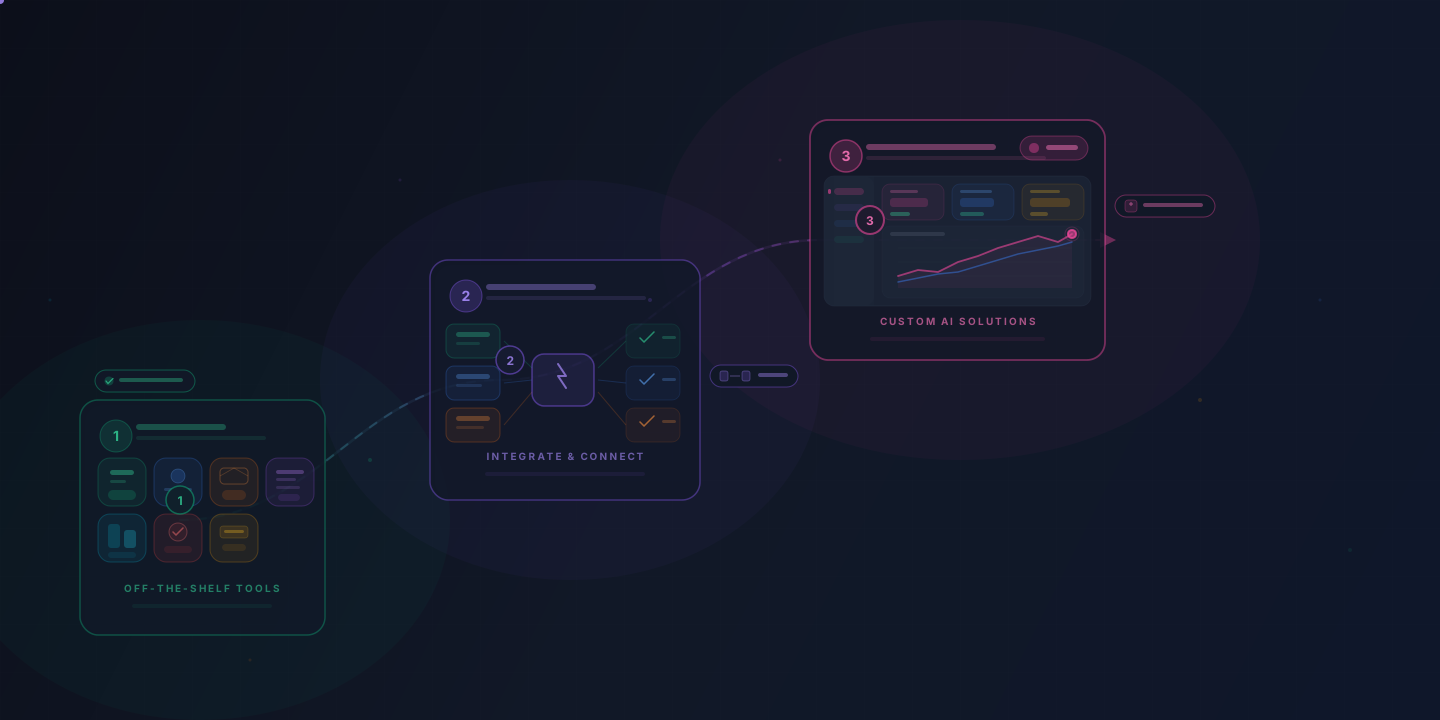
Step 1: Start with off-the-shelf AI tools
Begin with tools that are ready to use today. Off-the-shelf AI products can show value within days and need little technical setup beyond creating an account.
AI email assistants are one of the easiest starting points. Microsoft Copilot in Outlook or Google Gemini in Gmail can draft replies, summarize long threads, and flag action items. In the UK government's 2024 trial of Microsoft 365 Copilot, participants reported saving an average of 26 minutes a day across the whole suite, email included.
Scheduling tools like Reclaim.ai use AI to find meeting times, protect focus time, and reschedule lower-priority tasks when conflicts come up. They connect directly to Google Calendar or Outlook.
Automated bookkeeping in platforms like QuickBooks AI or Xero categorizes transactions, flags anomalies, and generates cash flow forecasts. Much of what used to take a bookkeeper hours each week now happens in the background.
AI customer support tools like Intercom's Fin or Zendesk's AI agents can handle a large share of routine customer inquiries. They answer FAQs, process simple requests, and route complex issues to a person on your team.
At this stage, pick one or two tools that address your most time-consuming tasks. Don't try to overhaul everything at once. Use each tool for 30 days, measure the time saved or quality gained, and then decide whether to expand.
Step 2: Integrate AI into existing workflows
Once standalone AI tools have proven useful, connect them to your existing workflows. This is where the bigger productivity gains come from, and you can still do it without a tech team.
Workflow automation platforms connect your AI tools to your existing systems. Zapier, Make, and Microsoft Power Automate let you build automated workflows (called "Zaps," "Scenarios," or "Flows") that link apps and trigger AI steps.
A few practical examples:
None of this requires coding. The platforms provide step-by-step visual builders, and most have templates for common AI workflows.
A note on APIs: You'll sometimes hear that connecting tools requires "API integration." In most cases the automation platform handles this for you. You don't need to know how an API works. You authorize the connection between two apps, which usually means clicking "Connect" and logging in.
Step 3: Graduate to custom AI solutions when ready
Custom AI solutions are worth considering once off-the-shelf tools can't meet your specific needs, and not before. That point usually comes once you've used off-the-shelf tools long enough to know where AI adds value in your business.
Signs you're ready for custom AI:
Working with an AI development partner is the most practical path for SMBs that need custom solutions. A good partner will:
You don't need to hire a full-time CTO or build an engineering team. A specialized AI development partner can deliver a custom solution for a fraction of the cost of an in-house team, and brings experience from building similar solutions for other businesses.
How should SMBs evaluate AI vendors and partners?
Judge AI vendors on business outcomes rather than technical specifications. The best vendor for your business is the one that solves your specific problem reliably and affordably.
Questions to ask any AI vendor or partner:
Red flags to watch for:
What should SMBs budget for AI?
Off-the-shelf tools are the cheapest place to start: they bill monthly, and some AI features come bundled with software you already pay for. Custom software costs more up front. The right budget depends on the problem you're solving and the value of solving it.
What drives the cost:
How to think about ROI:
If the numbers only work under optimistic assumptions, pick a different problem. Start with high-impact, low-cost tools and move to larger investments only after they've proven their value.
What are common mistakes SMBs make with AI adoption?
The most common mistake is trying to do too much too fast. SMBs that succeed with AI start small, prove value, and then expand. The ones that struggle often try to overhaul their entire operation at once.
Mistake 1: Starting with technology instead of problems. "We need to use AI" is not a strategy. "We need to reduce our customer response time from 4 hours to 15 minutes" is a strategy. AI might be the right tool, or a simpler solution might work just as well.
Mistake 2: Buying tools without a clear use case. It's tempting to sign up for the latest AI platform because a competitor mentioned it. But a tool added without a clear purpose tends to become shelfware and a wasted expense.
Mistake 3: Expecting perfection from day one. AI tools improve over time, especially as they learn from your data. If your support agent answers the common questions correctly in month one and hands the rest to your team, that's a strong start. Set realistic expectations and plan for iteration.
Mistake 4: Ignoring your team. AI adoption fails when employees feel threatened or left out of the process. Involve your team early, explain how AI will make their work better (not replace them), and provide adequate training.
Mistake 5: Not measuring results. If you can't measure the impact of an AI tool, you can't justify expanding it or know when to cut it. Define success metrics before you deploy anything.
Mistake 6: Choosing the cheapest option by default. The lowest-cost tool is rarely the best value. A $200/month tool that saves 20 hours of work is far better than a $50/month tool that saves 3 hours. Evaluate based on ROI, not price alone.
Are there SMBs that have deployed AI without in-house tech teams?
Yes. The ones that do it well have one thing in common: they focus on solving specific problems rather than adopting technology for its own sake. Four typical setups:
Take a 12-person regional insurance agency whose staff key data from claim forms into their management system by hand. An off-the-shelf document extraction tool, connected to the existing software through Zapier, pulls the fields from each form and creates the record. Staff review the extracted data instead of typing it.
An 8-person e-commerce brand whose support inbox floods during peak season can put a support agent on its helpdesk. The agent answers order-tracking and return-policy questions from the order data and hands everything else to the two-person support team.
A 20-person B2B consulting firm can use AI writing assistants and a workflow automation platform to draft proposal sections from its templates and client-specific inputs. A team member reviews and personalizes each draft before it goes out.
A 15-person property management company can run maintenance requests through a simple form. AI categorizes the urgency and type of issue, assigns it to the right contractor, and sends the tenant status updates, and the property manager reviews a daily summary instead of managing each request individually. All of it runs on a no-code automation platform.
None of these setups needs a developer or data scientist. Each starts with one problem, a tool that addresses it, and the people the business already has.
Where should you start?
Pick the one problem that costs your business the most time or money, and find an off-the-shelf AI tool that addresses it. Try it for 30 days, measure the results, then decide what's next.