
Automating a Broken Process Just Scales the Failure
77% of SMBs now use AI regularly. Real SMB revenue has declined for four straight years. Both numbers can be true because most teams are buying AI and pointing it at the workflow they already have. The agent works. The business still loses.
Cloudfinch Team
May 14, 2026
77% of small and midsize businesses now use AI regularly.
That number was 48% eighteen months ago.
In the same window, US small businesses posted their fourth straight year of declining real revenue.
Those two facts should not coexist.
They do because most teams are doing the same thing.
They are buying AI and pointing it at the workflow they already have.
That is the trap.
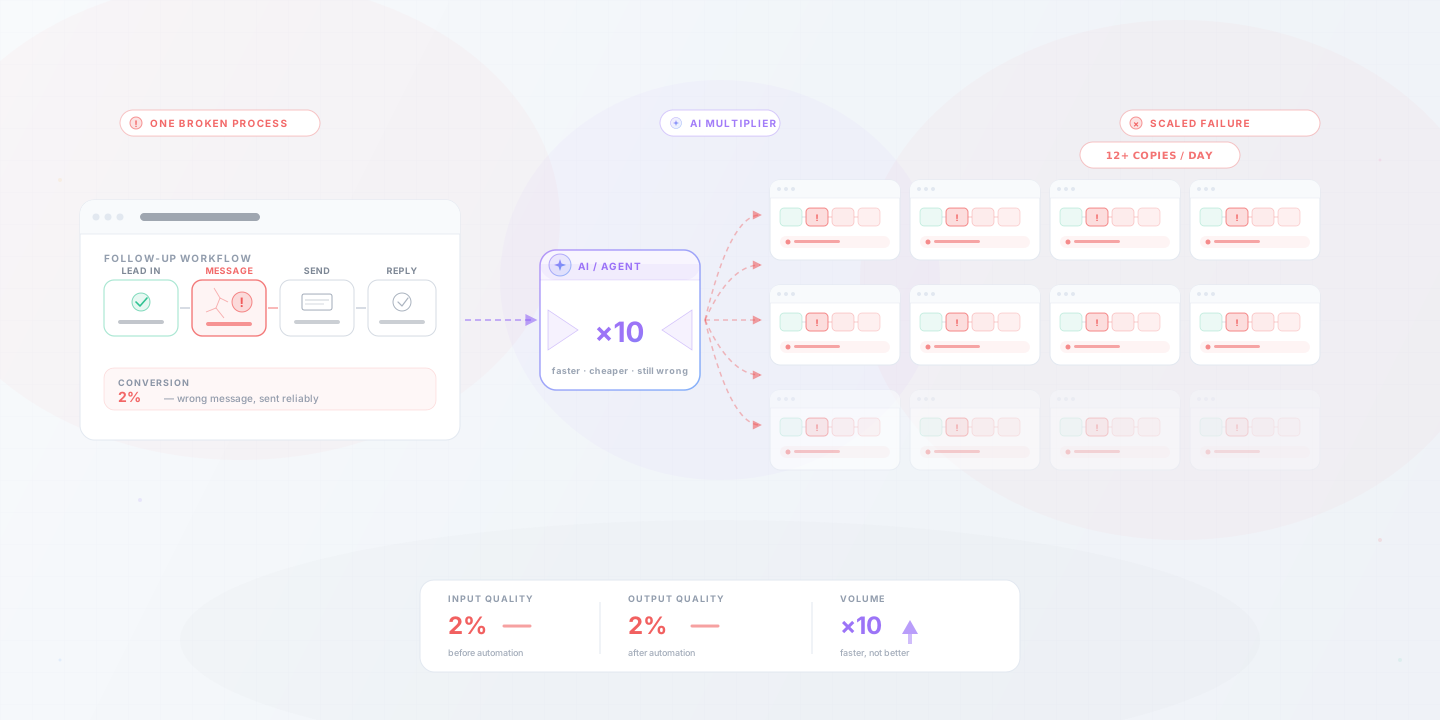
If your follow-up converts at 2% because the messaging is wrong, automating the sequence does not lift conversion. It sends the wrong message to more people, faster, for a monthly fee.
The agent works perfectly. The business still loses.
The paradox in the numbers
QuickBooks' 2026 AI Impact Report covers 34,000 owners and 5.3 million businesses. The pattern is clear.
78% of users say AI is boosting productivity. Roughly 1 in 10 now run something they would call an agent. The median SMB uses 5 AI tools.
And here is the line that gets quoted most: 83% of growing SMBs have adopted AI, against 55% of declining ones.
Vendors point at that gap and say AI causes growth.
That is not what it shows.
Growing businesses already had clean operations. AI compounded what was working.
For the rest, the stack is becoming the problem.
5 tools. 5 bills. 5 logins. 5 places where data does not quite line up.
The pattern we keep seeing
Walk through SMB deployments that disappointed in the last twelve months and the same shape keeps appearing.
A team automates lead enrichment when the constraint was actually sales follow-through. The bottleneck moves one tile to the right. Output does not change.
A workflow contains a manual step that exists only because two systems do not talk to each other. Automating that step preserves the bad architecture and makes it harder to remove later.
A process does something poorly. Maybe the qualification is loose. Maybe the messaging misses. Maybe the data is dirty.
The agent now does it ten times faster.
In each case, the AI is not faulty.
The choice of where to point it was.
Pain first, tool second
The teams that get results invert the order of operations.
They find the friction before they choose the fix.
It looks like this:
The order is the whole game.
Reverse it and you end up with 5 subscriptions and the same revenue.
What has to be true before AI helps
Some preconditions are not optional. If any of these are missing, more AI will not save you.
These are unglamorous.
They are also where the 83/55 gap quietly opens up.
Where AI does compound
This is not an argument against AI. It is an argument for sequencing.
When the underlying process is clean, the right applications produce real leverage.
Notice what these share.
None of them ask the AI to fix a broken decision.
They speed up a decision the business already makes correctly.
A 30-day audit before you buy anything
Before renewing or adding another tool, run this loop.
Week 1. Pick one revenue cycle. Sit with the team that runs it. Time every step. Note where work actually stops.
Week 2. Sort broken from slow. For each stopped step, ask whether the output is wrong or just late. Fix the wrong ones with policy, training, or process. No software involved.
Week 3. Test one automation on the slow-but-correct steps. Set a measurable target. Run it manually first to confirm the logic before wiring anything up.
Week 4. Decide. Keep what moved the target. Cut what did not. Cancel any tool you are not actively using.
Most teams that do this end the month with fewer subscriptions.
That is the point.
Final thought
AI is a multiplier.
It multiplies what is already there.
If the process beneath it is sound, the leverage is enormous.
If it is not, you will spend the next year confused about why the dashboards look better and the bank balance does not.
The growing SMBs in the QuickBooks data did not win because they bought more tools.
They won because they had cleaner operations to point the tools at.
That sequencing is available to any team willing to look at the workflow before the software.
Ready to find the workflow worth fixing before you buy another tool? Schedule a free consultation and we'll help you map the cycle, find the real bottleneck, and figure out whether automation is even the right next move.