
What AI Agents Can Do for a Small Business
What AI agents can do for a small business, how they are priced, the risks to plan for, and how to start without a dedicated tech team.
Cloudfinch Team
Feb 18, 2026
AI agents are one of the most talked-about technologies in 2026, but most of the conversation is aimed at large enterprises with big budgets and dedicated engineering teams. If you run a small or mid-sized business, you probably have questions: What is an AI agent? Could it help my business? How much would it cost? Do I need to hire developers?
This guide answers those questions with concrete examples and practical advice.
What are AI agents, in simple terms?
An AI agent is software that carries out tasks on your behalf: it makes decisions, takes actions in your systems, and adjusts based on the results. You give it a goal and some rules, and it works through the steps without you guiding every click, handing off to a person when it isn't sure.
For example, a chatbot answers a customer's question. An AI agent can look up the customer's order, check the shipping status, issue a refund if appropriate, and send a follow-up email.
The key characteristics of an AI agent:
How are AI agents different from chatbots or regular software?
The easiest way to see the difference is to compare how much each one can do on its own.
A practical comparison:
What can AI agents do for small businesses?
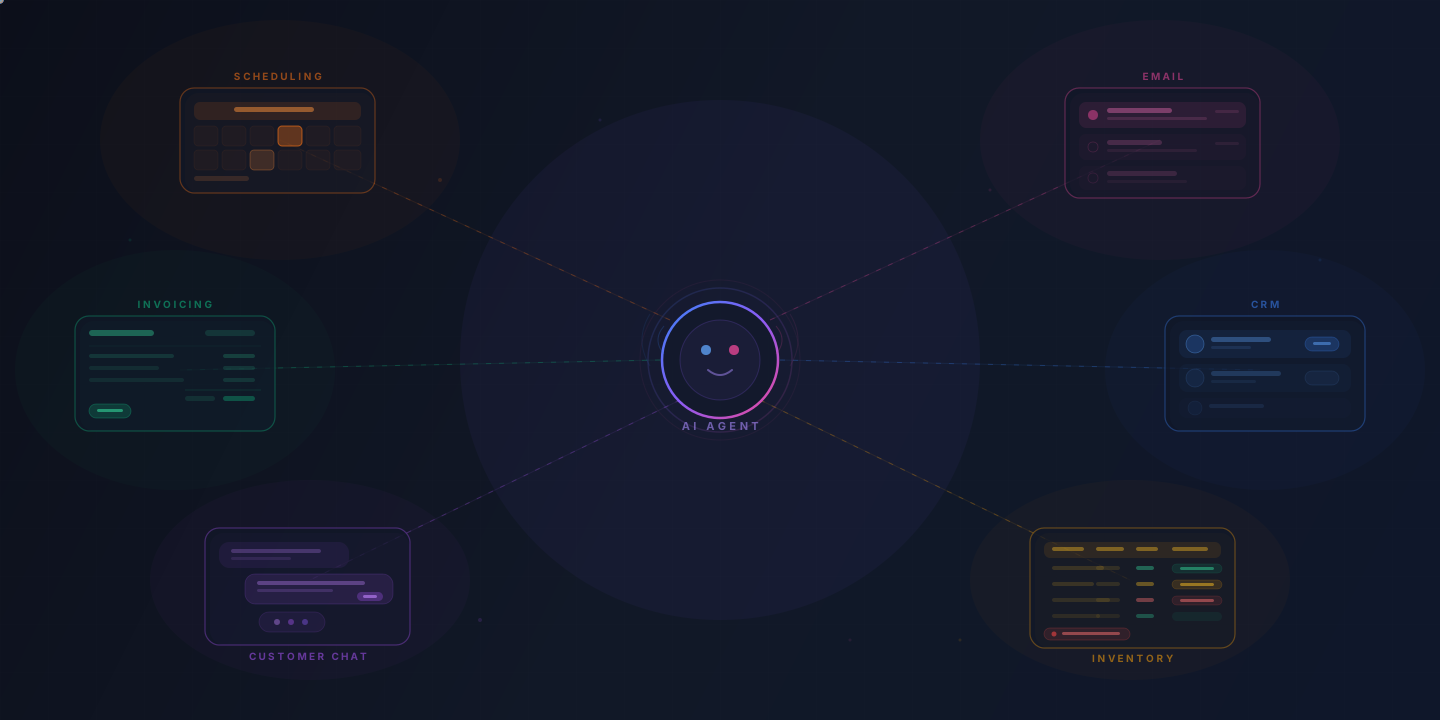
AI agents can automate complex, multi-step workflows that previously required either manual effort or expensive custom software. Here are six use cases where small businesses are using them today.
Customer service and support. AI agents can answer routine requests from your order and account data: look up accounts, process returns, update orders, follow up, and hand complex issues to a person. Intercom reports its Fin agent resolves 76% of conversations on average across more than 12,000 customers.
Scheduling and calendar management. An AI agent can coordinate meetings across multiple people, time zones, and calendars. It negotiates times, sends invitations, reschedules when conflicts arise, and books meeting rooms or video conference links. That cuts out the back-and-forth email.
Lead qualification and follow-up. AI agents can review incoming leads from your website, email, or social media, score them based on criteria you define, send personalized follow-up messages, and route qualified leads to the right salesperson. Your sales team spends its time on prospects who are interested and a good fit.
Bookkeeping and expense management. AI agents can categorize transactions, match receipts to expenses, reconcile accounts, flag anomalies, and prepare reports. A person then reviews only what the agent flags or cannot match.
Inventory management. An AI agent can monitor stock levels, predict demand based on historical patterns and external factors (like seasonality or promotions), generate purchase orders, and alert you when something needs attention. This is especially valuable for retail, e-commerce, and food service businesses where stockouts or overstocking directly affect revenue.
Document processing. AI agents can read, extract, and process information from invoices, contracts, applications, and forms. They can pull key data points, enter them into your systems, flag items that need review, and route documents for approval.
How much do AI agents cost for small businesses?
Cost depends on whether you buy an off-the-shelf tool or have one built, how many systems it connects to, and your volume.
How the main options are priced:
When evaluating cost, compare it to what you are currently spending. If a bookkeeping agent saves 15 hours of staff time a week, set that against its monthly cost.
Many businesses start with an off-the-shelf tool on one workflow, then move to a custom build once they know its value and limits.
Do you need a tech team to deploy AI agents?
No, you do not need a dedicated tech team to start using AI agents. Many off-the-shelf AI agent platforms are designed for non-technical users and can be set up with guided wizards, drag-and-drop interfaces, and pre-built templates.
That said, the level of technical involvement depends on what you are trying to do:
For most small businesses, the practical path looks like this: start with a ready-made solution that requires minimal setup, validate that it delivers results, and then bring in expert help when you want to go further.
What are the risks of using AI agents?
AI agents make mistakes and need oversight. Understanding the risks upfront helps you plan for them and set realistic expectations.
Accuracy and errors. AI agents can make mistakes, especially when they encounter situations outside their training or configuration. An agent that processes invoices might misread a handwritten number. A customer service agent might give an incorrect answer to an unusual question. Always build in a human review step for high-stakes decisions.
Data privacy and security. AI agents often need access to sensitive business data, such as customer information, financial records, or internal documents. Make sure any AI tool you use meets basic security standards:
Over-reliance. There is a temptation to set up an AI agent and forget about it. AI agents need ongoing monitoring, especially in the early weeks. Review their outputs regularly, provide feedback, and adjust their instructions as your business evolves.
Vendor lock-in. Some AI agent platforms make it difficult to switch providers or export your data. Before committing, ask about data portability and what happens if you want to move to a different solution.
Cost creep. Usage-based pricing can lead to unexpectedly high bills if volume increases. Understand the pricing model and set up alerts or caps where possible.
How to evaluate if an AI agent is right for your business
An AI agent is a good fit when you have a repetitive, multi-step workflow that takes up a lot of time and follows a mostly consistent process. Not every problem needs an AI agent, and sometimes a simpler tool is the better choice.
Ask yourself these questions:
If you answered yes to most of these, an AI agent is likely a good fit.
Getting started: 3 practical steps for small businesses
You do not need to overhaul your business to start using AI agents. A low-risk way to start:
Step 1: Identify your most painful repetitive workflow
Make a list of tasks that eat up your team's time every week. Common candidates include:
Pick the one that costs you the most time or money. Be specific: "We spend 12 hours per week manually processing supplier invoices" is better than "We want to automate our back office."
Step 2: Put a narrow version into production
Start with a limited scope. If you are automating customer service, begin with your 10 most common questions and let the AI agent handle only those, while routing everything else to your team. If you are automating invoice processing, start with one supplier or one document type.
Set clear success criteria before you begin:
Watch it closely for the first 2-4 weeks, especially the first week. Adjust the agent's instructions based on what you observe.
Step 3: Measure, refine, and expand
Evaluate the results honestly. Did it save meaningful time? Were the error rates acceptable? Did your team find it helpful or frustrating?
If it is working, expand the scope gradually. Add more question types to the customer service agent. Include more suppliers in the invoice processing workflow. Connect additional systems.
If it fell short, figure out why. Sometimes the issue is configuration rather than capability. A small adjustment to the agent's instructions or a better integration with your existing tools can make a big difference.
Once one agent is working reliably, look for your next highest-impact opportunity and repeat the process.
Start with one real problem
AI agents are practical tools for small businesses, and they don't require an enterprise budget or a technical team. Off-the-shelf options are now useful, and custom agents are affordable for businesses that need them.
Start with a real problem, keep the scope small, measure results, and expand from there. The businesses getting the most from AI agents picked one specific pain point and chose the right tool for it.